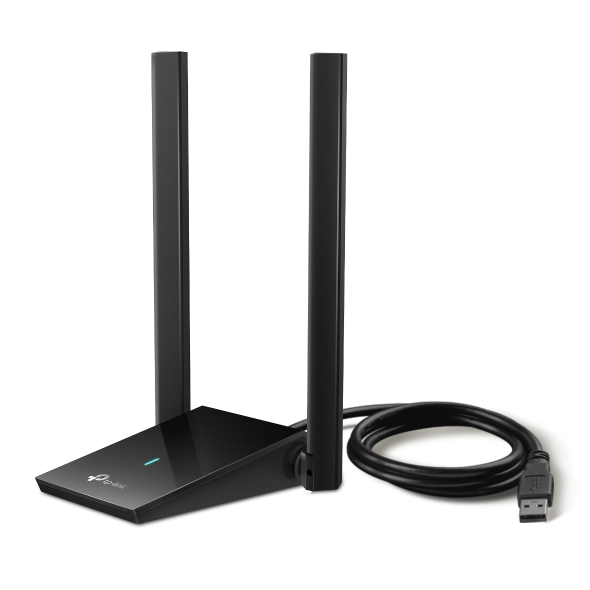
INSTALLATION OF RTL8852AU ARCHER TX20U PLUS AX1800 DRIVER
Linux Mint 22.2 Cinnamon
The driver runs on Linux kernel 6.8.0-87-generic only. To check which Linux kernel you are currently using, just run:
To keep it permanently, do:
- sudo nano /etc/default/grub
- Change GRUB_DEFAULT=0 to GRUB_DEFAULT=saved
- Add a new line below that saying GRUB_SAVEDEFAULT=true
- Save file
- Run sudo update-grub
or delete all Linux kernels after 6.8.0-87-generic.
Driver installation
sudo apt install git dkms
git clone https://github.com/lwfinger/rtl8852au.git
sudo dkms add ./rtl8852au
sudo dkms install rtl8852au/1.15.0.1
Information
Run on terminal:
for general information, and
for speed information.This command shows whether the adapter with ID 2357:013f runs as USB2 or 3.0.
Configuration
Run on terminal:
and add this piece of text inside the file:options 8852au rtw_country_code=GR
# Initially it will use USB2.0 mode, which will limit 5G 11ac throughput
# (USB2.0 bandwidth only 480Mbps => throughput around 240Mbps)
# with modprobe options it will switch to USB3.0 mode at initial driver load
#
options 8852au rtw_switch_usb_mode=1
#
#
#
### TODO: real time change usb2.0/3.0 mode
#
### usb2.0 => usb3.0
#
# sudo sh -c "echo '1' > /sys/module/8852au/parameters/rtw_switch_usb_mode"
#
### usb3.0 => usb2.0
#
# sudo sh -c "echo '2' > /sys/module/8852au/parameters/rtw_switch_usb_mode"